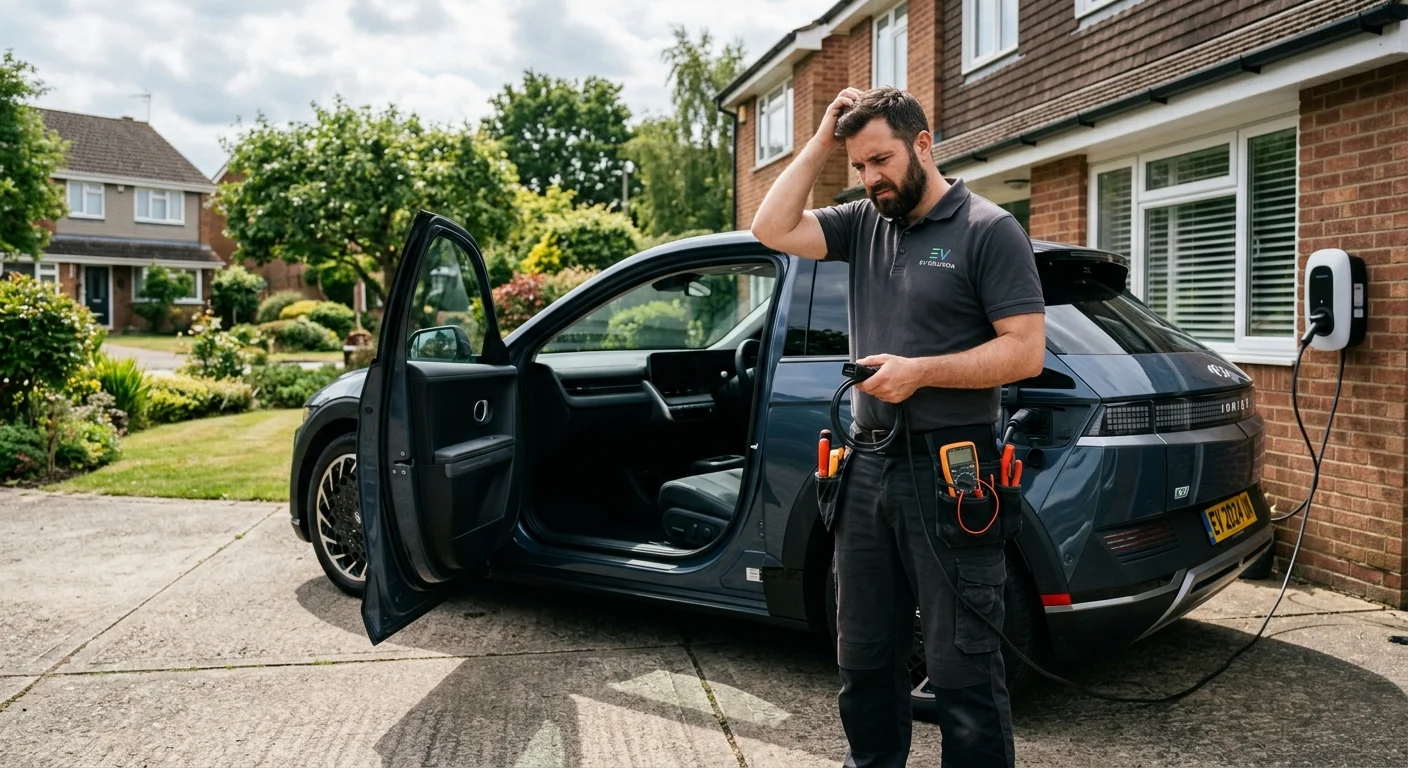
There’s nothing quite as unsettling as pressing the start button in your Hyundai Ioniq 5 and getting absolutely no response. No lights, no sounds, just silence. This common EV problem can leave you feeling stranded, even in your own driveway. It’s a frustrating moment, but often, the solution is simpler than you might think.

A Hyundai Ioniq 5 with a completely dark dashboard, parked in a driveway. The dr

This guide walks you through the most frequent reasons why your Ioniq 5 might not start and provides clear troubleshooting steps. We’ll help you diagnose the issue and get back on the road, or know when it’s time to call for professional help here in San Diego.

Common culprits: the 12V battery and the ‘start’ button sequence

Unlike gasoline cars, electric vehicles like your Hyundai Ioniq 5 rely on two types of batteries: the large traction battery that powers the motor, and a much smaller 12-volt battery. While the main battery gets all the attention for range and charging, the 12V battery is crucial. It powers all your car’s auxiliary systems: the lights, infotainment, door locks, windows, and critically, the computer that “boots up” the entire high-voltage system. If this 12V battery dies, your Ioniq 5 simply won’t start, regardless of how much charge is left in the main traction battery.

You might be surprised how often a dead 12V battery is the root cause. Many EV owners aren’t aware of its importance, often assuming a “dead” EV means the main battery is depleted. This isn’t usually the case when you get no power at all. Your Ioniq 5’s manual and smart systems are designed to protect the large battery, but the 12V can still give up the ghost. For more detail on this common EV issue, read our post about what happens when an EV 12V battery dies.

Another common, and often overlooked, issue involves the proper “start” button sequence. For the Ioniq 5, you typically need to have your foot firmly on the brake pedal before pressing the “Start/Stop” button. If you press the button without the brake engaged, the car’s accessories might turn on, but the vehicle won’t actually go into “Ready” mode to drive. This can be confusing, especially if you’re distracted or in a hurry. Always double-check this basic step before diving into more complex troubleshooting. It’s a simple fix that saves a lot of headaches.

How to tell if it’s a dead 12V battery

Identifying whether your Ioniq 5’s problem stems from a dead 12V battery is usually straightforward. The symptoms are distinct and generally point to a lack of power in the low-voltage system rather than the high-voltage traction battery. If your 12V battery has failed, you’ll likely experience a complete absence of power to the car’s interior. This means no dashboard lights illuminate, the infotainment screen remains dark, and you won’t hear any of the usual whirs or clicks when you attempt to “start” the vehicle. Even simple functions like unlocking the doors with your key fob might fail, forcing you to use the physical key within the fob.

In contrast, if the main traction battery were critically low or dead, you’d often still see some signs of life from the 12V system. The dashboard might light up with warnings about low charge, or the car might enter a limp mode, even if it can’t drive. When the 12V is dead, the car’s computer, which controls everything, can’t even power on to tell you what’s wrong. Think of it like a gas car with a completely dead starter battery; nothing happens because the ignition system can’t engage.

Sometimes, the car might respond erratically. You might see flickering lights, hear clicking noises, or get error messages about various systems before everything goes dark. These are all classic indicators of a struggling or depleted 12V battery that lacks the juice to properly initialize the vehicle’s many electronic components. While the Ioniq 5 boasts an impressive main battery size and capacity, that large battery can’t help if the 12V system isn’t operational. If you’re seeing these “lights out” symptoms, a dead 12V battery is your prime suspect.

Finding the jump points on an Ioniq 5

Jump-starting a Hyundai Ioniq 5 isn’t quite like jump-starting an older gasoline car. You don’t connect directly to the main 12V battery terminals, which are often hidden and hard to access. Instead, the Ioniq 5, like many modern EVs, provides dedicated jump-start terminals conveniently located under the hood. These terminals are designed to safely receive a charge to revive the depleted 12V system.

Here’s how to locate them and prepare for a jump:

  1. Open the Hood: Start by popping the hood of your Ioniq 5.
  2. Locate the Fuse Box: On the driver’s side, you’ll see a black plastic cover for the main fuse box. It’s usually rectangular or square.
  3. Find the Positive Terminal: Carefully open or remove this fuse box cover. Inside, you’ll find a red cap or a clearly marked positive (+) terminal, often covered by a plastic flap. This is where you’ll connect the positive (red) clamp from your jump-start cables or portable jump pack.
  4. Identify a Ground Point: For the negative (black) clamp, you’ll need to find a suitable unpainted metal surface on the car’s chassis or engine block. Look for a sturdy bolt or a dedicated grounding point, often depicted in your owner’s manual. Do not connect the negative clamp directly to the 12V battery’s negative terminal if it’s visible, as this can be less safe due to potential sparking near battery gases.

When performing the jump, always connect the positive (+) clamp to the Ioniq 5’s positive terminal first. Then, connect the other positive clamp to the donor car’s (or jump pack’s) positive terminal. Next, connect the negative (-) clamp to the donor car’s (or jump pack’s) negative terminal. Finally, connect the remaining negative clamp to the Ioniq 5’s designated ground point. Once connected, let the car sit for a few minutes to allow the 12V battery to receive some charge, then attempt to “start” your Ioniq 5. For detailed safety instructions on this process, refer to our guide on how to jump start an EV safely.

{{infographicAlt}}

Resetting the system if the car is unresponsive

Sometimes, a non-starting Ioniq 5 isn’t due to a dead 12V battery but rather a temporary software glitch or a communication error within the vehicle’s complex electronic systems. Just like your computer or smartphone occasionally needs a restart to resolve minor bugs, your EV might benefit from a system reset. This is especially true if you’ve already confirmed the 12V battery is healthy, or if you’ve jump-started it and the car still acts erratically.

One common technique for a “soft reset” in many EVs, including the Ioniq 5, involves holding down the “Start/Stop” button for an extended period. Typically, holding it for 10-15 seconds without your foot on the brake can force a system reboot. This might clear minor software hang-ups that prevent the car from entering “Ready” mode. If successful, you might see the dashboard lights flicker, or the infotainment system restart before you can attempt to properly start the vehicle with your foot on the brake.

Another simple troubleshooting step involves your key fob. Sometimes, the car just isn’t recognizing the fob, leading to a “no start” condition. Try using a different key fob if you have one. If that works, the battery in your primary fob might be weak and needs replacing. You can also try placing the fob in the designated sensing area within the car (often in the center console or a specific slot, check your owner’s manual) which provides a stronger signal. Additionally, a quick check of easily accessible fuses, particularly those related to the dashboard or ignition, can sometimes reveal a simple blow. However, for a complete “no power” situation, a 12V battery issue is far more common than a single fuse. After any reset attempt, give the car a minute or two before trying to start it again, allowing all systems to properly initialize.

When to call us

While many Ioniq 5 “no start” issues can be resolved with a simple jump start or system reset, there are times when professional assistance is your best option. If you’ve gone through all the troubleshooting steps outlined above and your Hyundai Ioniq 5 remains unresponsive, it’s a clear sign that the problem is more complex than a simple fix. Perhaps the 12V battery isn’t just dead, but completely failed and unable to hold a charge, or there’s an underlying issue preventing it from recharging from the main traction battery.

You should also call for help if you’re uncomfortable performing a jump start yourself. Working with car batteries, even low-voltage ones, requires caution, and improper connections can lead to damage or injury. If you manage to jump-start the car but it dies again shortly after, or if strange warning lights appear, it indicates a deeper electrical problem that needs expert diagnosis. In these situations, attempting further DIY fixes could cause more harm than good.

Charge Pro SD specializes in non-Tesla EV rescue across San Diego County. Our technicians are experienced with Hyundai Ioniq 5 systems and can quickly diagnose whether it’s a 12V battery replacement, a charging system fault, or another electrical issue. We come to your location, equipped with the right tools and knowledge to get your EV moving again, often avoiding the need for a tow.

Call us at (858) 925-5546 for a same-day estimate.