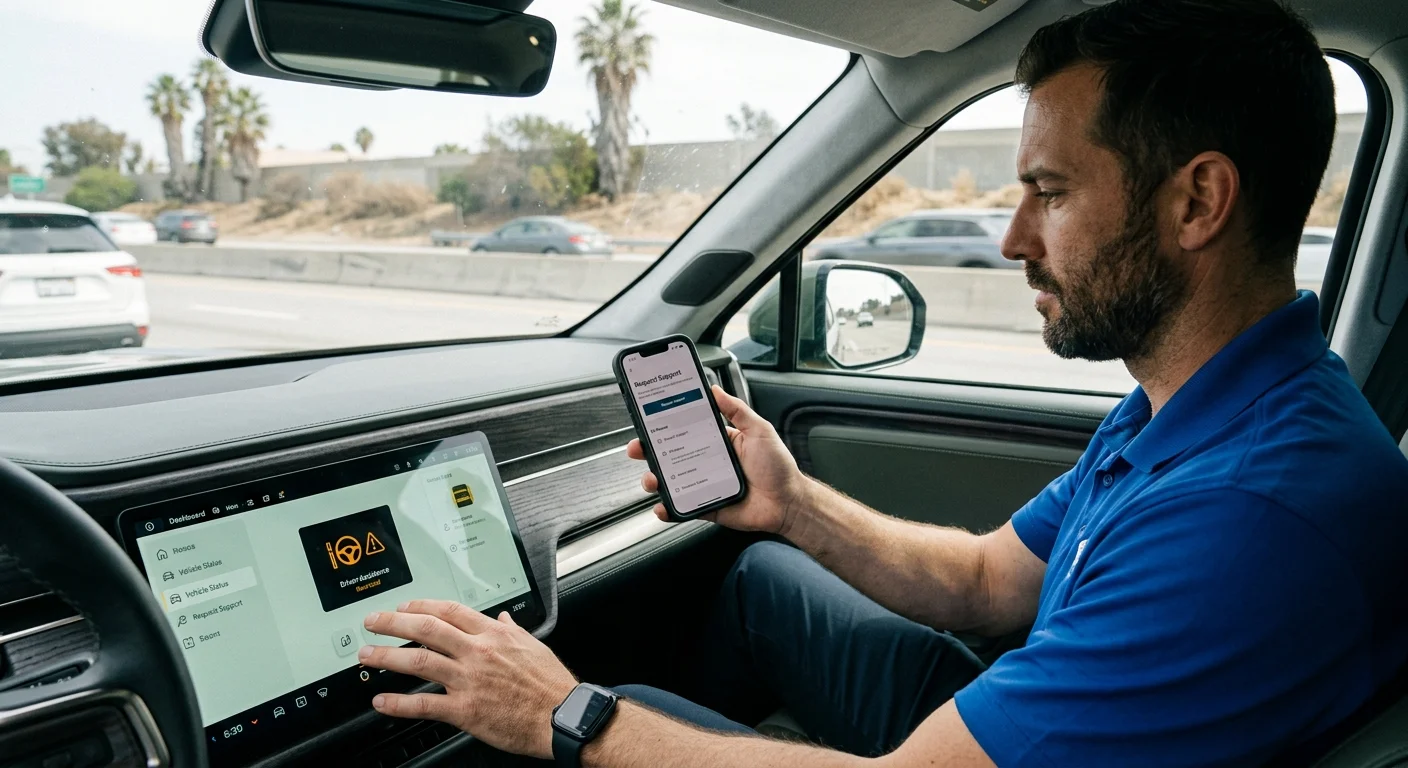
A driver searching “Rivian highway assist” may need one of two things. One concerns driving support on the highway. The other concerns help when the vehicle can’t continue.

A Rivian driver comparing dashboard driver assistance with roadside support

Confirm what Rivian calls the feature today

Start by checking the exact wording shown inside your Rivian. Search results, forum posts, and older videos may use names that don’t match current vehicle information.

We couldn’t confirm a current official Rivian feature name from the approved sources available for this page. Those sources also don’t confirm feature availability, supported roads, model eligibility, or required settings. Rivian’s current documentation should control those details.

Check the owner information supplied with your vehicle. You can also visit Rivian’s official website and search its support material using the wording displayed inside the vehicle. Compare the result with your model, configuration, and installed software. Don’t assume a page written for another Rivian applies to yours.

Write down the full dashboard message before changing settings. Small wording differences can separate an unavailable driving feature from an actual vehicle fault. A photo can also help when you later speak with Rivian or a roadside operator.

Most importantly, don’t treat “Rivian highway assist” as proof that you need roadside service. If the vehicle still drives and you’re asking about driving support, stay within Rivian’s official feature instructions. If it can’t continue, won’t become ready, or can’t reach charging, move to roadside troubleshooting.

Separate driver assistance from roadside help

A highway driver-assistance question concerns vehicle behavior while you’re driving. A roadside question concerns what happens after the vehicle can’t continue normally. Similar language can hide that basic difference.

Use the situation, not the search phrase, to choose your next step:

  • The vehicle drives, but a dashboard driving feature isn’t available.
  • The vehicle has stopped because its usable charge is too low.
  • The vehicle won’t become ready, even though charge may remain.
  • The vehicle needs to be moved rather than charged where it sits.

The first situation belongs in Rivian’s current owner documentation. The other situations may call for roadside help, depending on the displayed message and vehicle condition.

Don’t erase warnings or repeatedly try random fixes just to classify the problem. Record what the vehicle shows. Note whether screens, locks, charging controls, and drive selection respond. Report observations without naming a failed part that hasn’t been diagnosed.

This distinction matters across San Diego County. A feature question while driving through Mission Valley isn’t the same request as a disabled vehicle near Kearny Mesa. Likewise, an out-of-charge Rivian near Chula Vista needs different help from one that has charge but won’t become ready.

For broader background on electric vehicles, the US Department of Energy’s EV resources provide a useful starting point. Rivian’s current materials remain the better source for Rivian-specific feature instructions.

Check Rivian’s current support path

Once you know this is a roadside problem, check Rivian’s current official support information. Use the support options presented for your vehicle or account. Coverage, request methods, and included services can change.

The approved source record for this page doesn’t confirm Rivian’s current support hours, response times, prices, eligibility rules, or covered events. It also doesn’t confirm whether charging, low-voltage help, or transport applies to your situation. Check those details directly with Rivian before relying on coverage.

When reviewing the official information, look for answers to five practical points:

  1. Is your vehicle eligible under the current terms?
  2. Does the stated service match the condition you’re reporting?
  3. Is your location within the applicable service area?
  4. Will Rivian arrange help, or must you choose a provider?
  5. What costs or limits must you approve?

Save the request confirmation and any instructions you receive. If Rivian directs you to a third party, confirm the operator’s identity and proposed service before work begins.

Our guide to Rivian roadside assistance in San Diego explains the local roadside decision in more detail. It doesn’t replace Rivian’s current coverage terms.

If the official path doesn’t fit the situation, you can contact an independent EV roadside operator. Ask that operator to confirm availability, scope, price, and vehicle compatibility directly.

Choose charging, low-voltage help, or transport

The right roadside request starts with symptoms. Don’t choose a service from one dashboard icon or an assumed battery failure.

When you may need charging

Ask about mobile charging when the vehicle’s remaining energy is the central problem. Give the operator the displayed charge information and your intended destination. The operator can then determine whether available equipment is suitable.

Mobile charging isn’t the same as repairing a charge port or diagnosing a vehicle fault. If the Rivian won’t accept energy, report that clearly. Don’t describe it only as an empty battery.

When you may need low-voltage help

A Rivian that won’t become ready doesn’t automatically have an empty drive battery. Screens, locks, controls, and dashboard messages provide useful clues, but they don’t confirm the failed component.

Our Rivian won’t start troubleshooting guide helps organize those observations. Follow Rivian’s current vehicle instructions before any low-voltage procedure. The matched operator should also confirm that the requested work fits the vehicle and condition.

When transport may fit better

Ask about transport when charging or low-voltage help won’t address the reported condition. Damage, an unresolved charging problem, or instructions from Rivian may point toward moving the vehicle instead.

Tell the provider whether the vehicle can roll, steer, unlock, or enter its required transport state. Don’t guess if you can’t confirm those details. The provider should review the current Rivian transport instructions before loading.

Location also shapes the request. Specify whether you’re on I-5, I-805, SR-78, SR-94, a surface street, a parking structure, or private property. Exact access details help the operator decide whether the job and equipment are a match.

How Charge Pro SD connects drivers with operators

Charge Pro SD is a referral service serving San Diego County. We connect stranded drivers with licensed, independent local EV charging professionals. Charge Pro SD doesn’t physically charge, diagnose, jump, transport, or repair vehicles.

The customer contracts with and pays the independent professional directly. That professional sets the price, confirms availability, defines the work, and explains any warranty that may apply. Ask for those details before authorizing service.

When contacting us, share the facts you can see:

  • Your Rivian model
  • The exact dashboard or screen message
  • The displayed remaining charge
  • Whether the vehicle becomes ready
  • Whether charging begins when connected
  • Your precise location and access conditions
  • Whether Rivian has already provided instructions

These details help separate a driving-feature question from a roadside request. They also help identify whether non-Tesla EV rescue or broader EV roadside assistance better matches the situation.

Charge Pro SD serves drivers throughout San Diego County. That includes central San Diego, the South Bay, East County, and North County. Whether you’re near San Ysidro, El Cajon, Encinitas, or Oceanside, use the same approach: report the symptoms, confirm the operator’s scope, and approve the terms directly with that professional.

When to call us

Call when your Rivian can’t reach charging, won’t become ready, or may need transport. Be ready to share the exact display message and your location. Call us at (858) 400-4465 and we’ll connect you with a local EV rescue operator.