A charging request fails, and your Tesla shows an unfamiliar message. You may see “Start charging failed,” “charging already requested,” or different wording. Treat that message as evidence to record, not a diagnosis.
Record the exact charging message
Start with the complete wording shown by the vehicle or app. Don’t shorten it to “Tesla won’t charge.” Small wording differences can matter when Tesla support or an independent operator reviews the problem.
If you searched “tesla start charging failed charging already requested,” confirm whether that’s the actual message. It might instead be wording remembered after leaving the station. Record what appears now, including capitalization and any nearby alert.
Take screenshots or photos when it’s safe. Capture the vehicle display, app message, and station screen separately. Don’t include personal account details when sharing those images. Note where each message appeared and whether it remained visible.
Write down these basic details:
- Tesla model and model year
- Current displayed charge level
- Exact alert wording
- Charging location
- Whether the vehicle is still connected
- Whether the vehicle has normal screen and app access
- Any other alerts shown at the same time
- What happened immediately before the message
Also record the station name or identifying details visible at the site. A location near Mission Valley isn’t specific enough when several charging locations may be nearby. Save the address shown in your navigation or app.
Don’t assign a cause based on one alert. The approved research for this page doesn’t confirm what produces either exact message. It also doesn’t support a reset sequence or repair instruction. Preserving the original wording gives Tesla support and any matched operator a cleaner starting point.
Separate station trouble from vehicle trouble
A failed charging request doesn’t identify the failed component. It doesn’t prove the station is down. It also doesn’t prove your Tesla needs repair.
Sort the situation by what you can directly observe. Keep those observations separate from your theory.
Station-side observations include messages displayed by the charging equipment, an unavailable status, or a request that never becomes an active session. Vehicle-side observations include alerts shown inside the Tesla or its app. Record both when available.
Location also matters. A problem at one Supercharger stall, a private garage charger, and another public charging network aren’t the same setting. If your issue is limited to a Supercharger location, read our guide to a Tesla Supercharger not working. That article focuses on station trouble and backup planning.
Next, separate charging trouble from a vehicle that won’t power up normally. A Tesla with working screens and a failed charging request presents different facts from a vehicle missing normal low-voltage functions. Neither condition should be diagnosed from a search phrase.
If the vehicle won’t start or provide normal access, use the Tesla won’t start troubleshooting guide to organize the symptoms. Don’t assume the traction battery is empty. Don’t assume the low-voltage system is responsible either.
Your notes should answer four separate questions:
- Is the vehicle responsive?
- What charge level does it display?
- Where does the exact message appear?
- Does the station show its own message?
Those answers help route the request. They don’t establish a repair.
Check Tesla’s current support path
Tesla directs owners to request roadside assistance through the Tesla app. Use the current options shown in your app, since the available path may depend on the vehicle and situation.
Include the exact charging message in the request. Add the Tesla model, model year, displayed charge level, and precise location. If you’re inside a garage, parking structure, gated property, or restricted lot, say that before help is arranged.
Tesla says out-of-range assistance may be available, but it isn’t financially covered. Tesla also says roadside availability can be restricted case by case for safety or regulatory reasons. Confirm the service, destination, and cost shown for your request before accepting it.
That support path doesn’t establish the cause of “Start charging failed” or “charging already requested.” It also doesn’t promise that roadside assistance can repair a station or vehicle where it sits.
Keep the request focused on observable facts. Avoid presenting an online theory as a confirmed fault. If Tesla gives instructions for your specific vehicle, follow the current guidance provided through Tesla’s support materials.
A search for “Tesla charging service” can mix several needs. These may include charging access, roadside energy, towing, station support, or vehicle repair. They aren’t interchangeable. Describe the immediate condition instead of requesting a broad service category.
Charge Pro SD also offers a Tesla roadside rescue referral path. We connect drivers with licensed, independent local operators. We don’t operate Tesla support, repair charging stations, or perform vehicle repairs.
Know when roadside charging may not fit
Mobile charging can fit some out-of-charge situations. It doesn’t fit every failed charging request. A message alone doesn’t confirm that adding energy will resolve the problem.
Start with the displayed charge level and vehicle condition. A responsive Tesla showing available charge may not have the same need as a vehicle with an empty traction battery. Missing normal low-voltage power is another distinct condition. Don’t group all three under “dead battery.”
A matched operator must confirm whether the proposed service fits the vehicle and location. Equipment compatibility requires the exact Tesla model, model year, charging details, and proposed service. Don’t assume every operator carries suitable equipment or accepts every location.
The setting can also change the available options. Share whether the Tesla is at a public charger, residence, workplace, parking garage, or roadside shoulder. Give the exact entrance and access instructions. A downtown garage, South Bay lot, and North County roadside location can present different access details.
If the vehicle is in a traffic lane or another dangerous location, the California Highway Patrol says to call 911. For other roadside-assistance requests in metropolitan areas, CHP says callers can use 511 and say “Roadside Assistance.” Those safety paths take priority over troubleshooting a charging message.
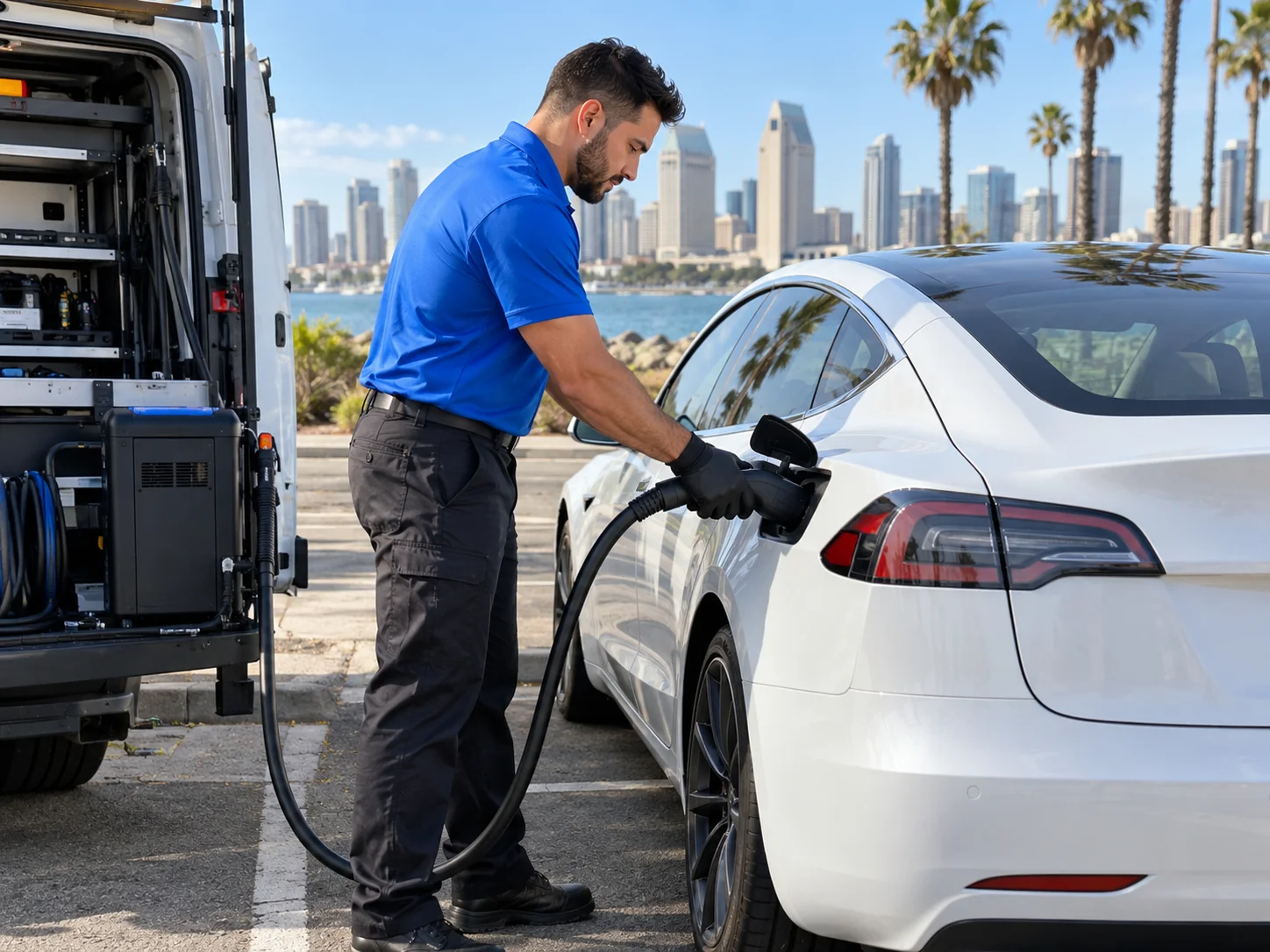
Our mobile EV charging service explains the referral process for situations where roadside energy may be appropriate. Charge Pro SD doesn’t promise that mobile charging will clear an alert. We also don’t promise that an operator can repair a charger or Tesla.
If charging can’t be confirmed as the right service, ask what alternative the operator recommends. That may require Tesla support or another qualified provider. Confirm the plan before authorizing work.
Share details with a matched operator
A clear request helps an independent operator decide whether the job fits. Start with the exact message, not “my Tesla is broken.” Then describe the vehicle’s current state.
Provide the following details before accepting a referral:
- Exact make, model, and model year
- Displayed charge level
- Full alert wording
- Whether screens and app access work normally
- Charging site and precise address
- Charger or stall details visible at the location
- Whether the vehicle is connected
- Parking level, gate, clearance, or access restrictions
- Any directions already provided by Tesla
- Service you believe you need
Ask the operator to confirm the proposed service, vehicle compatibility, equipment, price, and timing. Charge Pro SD doesn’t set those terms. You’ll contract with and pay the independent operator directly.
Don’t describe the request as a guaranteed mobile-charging job. Instead, say that charging failed and give the supporting facts. The operator can then determine whether roadside energy is appropriate within the service they offer.
Photos can help, but keep account information private. Share the vehicle display, station screen, and surrounding access area when useful. Don’t send payment details or Tesla credentials.
If your location changes, update the operator. San Diego County covers central San Diego, East County, the South Bay, and North County. A vague landmark may route someone to the wrong entrance or property.
Finally, confirm the limits of the visit. A roadside operator may evaluate a different scope than Tesla service or a charging-station owner. Ask what the operator is prepared to do and what happens if charging isn’t suitable.
When to call us
Call when your Tesla can’t begin charging and you need help finding an independent mobile EV rescue operator. Share the exact alert, charge level, vehicle details, and location first.
Call us at (858) 400-4465 and we’ll connect you with a local EV rescue operator.