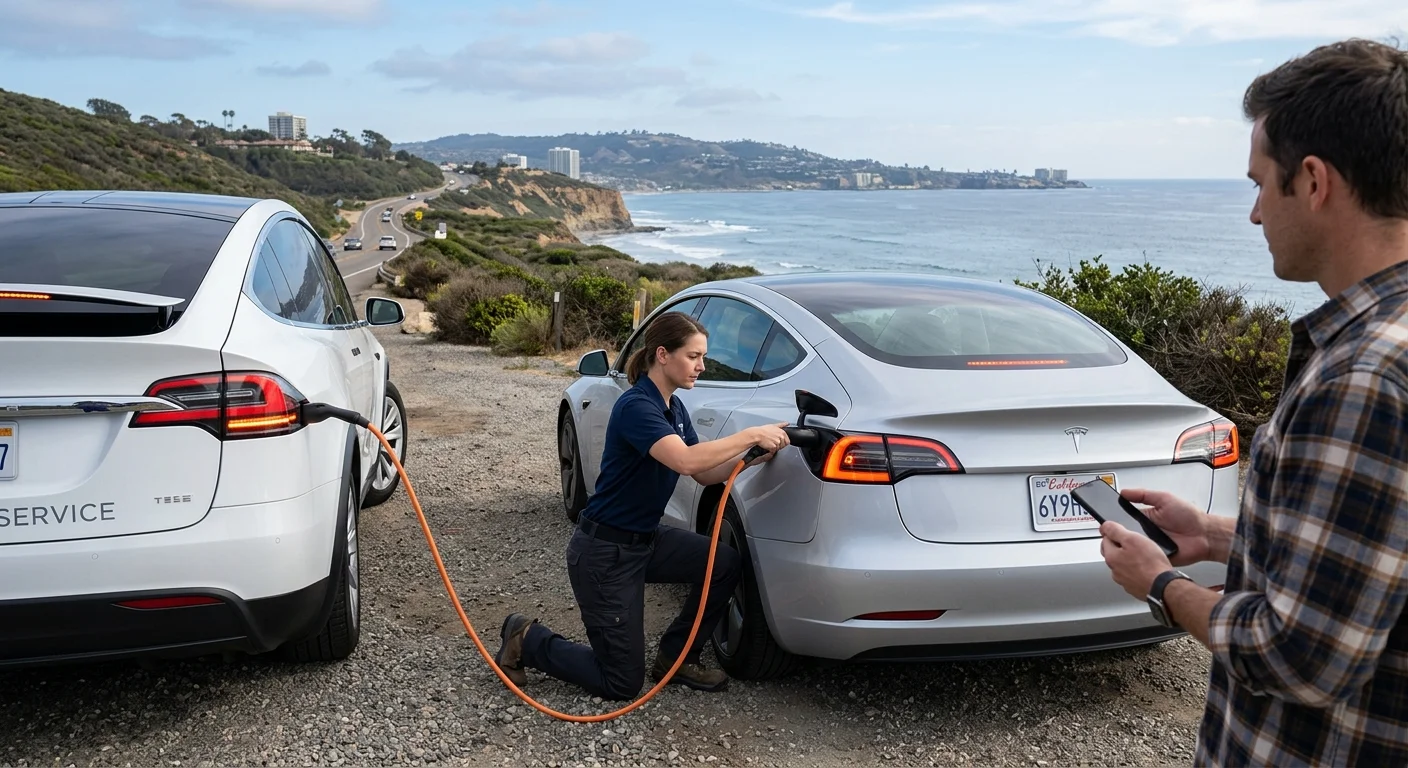
A dead Tesla in San Diego calls for two decisions: who handles the incident, and what kind of help the car needs. Start with Tesla’s current official roadside request channel when it’s available to you. For local mobile EV help, Charge Pro SD can connect you with a licensed, independent operator.

A Tesla with hazard lights on in a safe roadside turnout in San Diego while its driver checks a phone

Identify the problem before requesting help

Start with what the car is doing, not a guessed diagnosis. “Dead battery” can describe several different situations. The details help the roadside provider understand which kind of assistance to consider.

Check what you can observe without taking the car apart:

  • Does the touchscreen wake up?
  • Does the car display a charge percentage?
  • Did the displayed charge reach 0%?
  • Is there an exact low-voltage warning?
  • Can you unlock the doors normally?
  • Is the problem limited to a tire?
  • Has the car been damaged?
  • Is it blocking traffic or sitting in an unsafe position?

Write down the exact warning message. A screenshot or clear photo may also help. Don’t replace the car’s language with a diagnosis you haven’t confirmed.

For example, a Tesla showing 0% calls for a different request than one with a dark screen after previously showing usable charge. The second situation might involve the low-voltage system, but the message and vehicle condition should guide the professional. Our guide to Tesla battery symptoms versus a low-voltage problem explains what information can help separate those categories.

A tire problem should also be described plainly. Note whether the tire is flat, visibly damaged, or affected by road debris. Don’t assume it can be repaired where the car sits.

The car’s position matters as much as the suspected fault. Charge Pro SD isn’t an emergency authority. When an incident presents an immediate threat to people or active traffic, contact the appropriate public emergency authority and follow its directions.

Use Tesla’s official roadside request path

Tesla’s current roadside request method, public phone number, prices, coverage rules, and operating terms aren’t confirmed in Charge Pro SD’s approved claims ledger. We won’t publish an unverified number or repeat an old search result as current information.

Check Tesla’s official app or official support website for the live request option associated with your vehicle and account. Follow the prompts displayed there. That’s the safer way to call Tesla roadside assistance without relying on a number copied from an undated directory.

Our separate guide explains how to locate Tesla’s current roadside contact route without treating an unconfirmed phone number as permanent. Confirm the method directly with Tesla before depending on it.

When starting a request, choose the option that most closely matches the observed problem. Don’t select “out of charge” merely because the car won’t start. Likewise, don’t request a low-voltage jump when the display showed the traction battery reaching 0%.

If the official Tesla path doesn’t fit the incident, you can seek an independent local option. This may apply when you’re looking specifically for mobile charging, low-voltage assistance, or transport coordination. Charge Pro SD’s emergency EV roadside assistance service connects San Diego County drivers with independent local operators.

Coverage, availability, prices, and service decisions come from the provider you contact. Confirm those details before accepting service.

Share the car model, location, and warning message

A precise request reduces back-and-forth. Begin with the Tesla model, approximate model year, and visible warning message. Say whether the screen works and report the displayed charge percentage exactly.

Next, describe the location in terms a local operator can use. A map pin helps, but it shouldn’t stand alone. Include the road, direction of travel, nearest exit, cross street, parking area, or recognizable entrance.

On I-5, “San Diego” isn’t specific enough. State whether you’re traveling north or south and identify the nearest exit. Use the same approach on I-15, I-8, and SR-163. Those details help distinguish the correct side of a freeway and the most relevant access point.

Parking facilities need different details. At Cross-Border Express in Otay, for example, provide the named lot, row, level, or entrance shown nearby. In a garage, mention any posted clearance information. In a large retail lot, identify the business and the side of the building.

Then describe the vehicle’s physical condition:

  • Whether it can shift or roll
  • Whether the doors and charge port respond
  • Whether a tire or wheel appears damaged
  • Whether there was a collision or impact
  • Whether anyone has already tried to charge or move it

Don’t omit an earlier warning because it disappeared. The exact sequence can help a professional classify the request.

Before ending the conversation, repeat the location and requested service. Confirm that the provider understands you have a Tesla and knows its condition. Don’t assume “dead car” communicates whether you need energy, low-voltage help, tire assistance, or vehicle transport.

Know when the car may need charging, a jump, or transport

The goal isn’t to diagnose the Tesla from the roadside. It’s to place the request in the right category and let a qualified professional assess the car.

Out-of-charge battery: Report the last displayed percentage and where the vehicle stopped. Say whether the display reached 0% or showed a charging-related warning. Ask whether out-of-charge EV recovery is suitable for the location and vehicle. Charging speed and compatibility depend on the equipment and vehicle, so confirm the proposed service with the operator.

Possible low-voltage problem: Describe a dark screen, lock behavior, warning message, or other observed symptom. Don’t assume that adding driving range will address it. A “jump” and a mobile charge are different requests, and the responding professional should determine which applies.

Tire problem: Report what you can see without labeling it repairable. A puncture, damaged wheel, or other visible issue may change the appropriate service. The provider should decide whether roadside work or transport is suitable.

Transport request: Damage, an inaccessible charge port, or another unresolved condition may lead the provider to recommend transport. Give the provider the exact vehicle condition before any equipment is assigned. Let the qualified operator determine how the Tesla should be handled.

Unsafe roadside position: Treat this as a location and risk issue before treating it as a battery puzzle. Charge Pro SD doesn’t replace police, fire, medical, or traffic-control services. Follow directions from the appropriate public authority, then arrange vehicle service when directed.

For freeway-specific preparation, see our guide on what to do when an EV runs out of charge on a freeway. It keeps the vehicle problem separate from the immediate roadside setting.

How Charge Pro SD connects drivers with local operators

Charge Pro SD is a referral service serving San Diego County. We connect stranded drivers with licensed, independent local EV charging professionals. We don’t charge vehicles, jump low-voltage batteries, tow cars, employ crews, or own roadside equipment.

When you contact us, describe the model, warning message, displayed charge, and exact location. We use that information to connect you with a relevant local operator. Our Tesla roadside rescue service is intended for Tesla-specific requests that need an independent local option.

The matched operator decides whether the requested work fits the vehicle and location. That operator also confirms availability, pricing, equipment, scope, and any service terms. Charge Pro SD doesn’t set those prices or promise an arrival time.

You’ll contract with and pay the independent professional directly. Any questions about insurance, service conditions, or responsibility for the work should be confirmed with that operator before service begins.

Be specific about what you need. “My Model Y showed 0% and stopped in an Otay parking area” is more useful than “my Tesla died.” Likewise, “the screen is dark, but the car previously showed charge” gives the operator a different starting point.

San Diego County includes busy freeway corridors, enclosed garages, border-area parking facilities, coastal communities, and inland roads. The right provider depends on both the vehicle problem and where the car can be accessed. A clear description helps us make a more relevant connection without pretending to diagnose the Tesla over the phone.

When to call us

Call when your Tesla may need mobile charging, low-voltage assistance, or help finding an independent local operator in San Diego County. Charge Pro SD connects you with the provider, while that provider confirms the service details directly.

Call us at (858) 400-4465 and we’ll connect you with a local EV rescue operator.