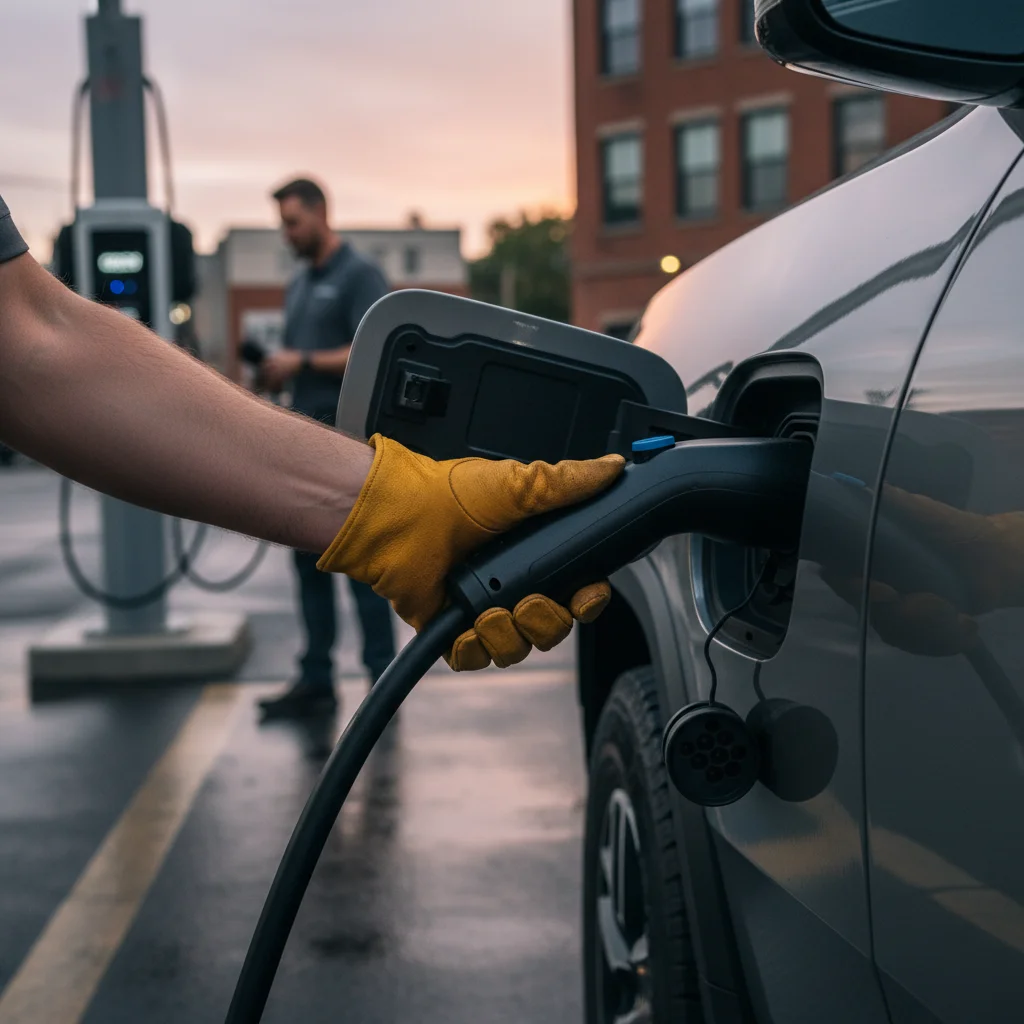
You’ve finished your charging session, maybe at the Westfield UTC mall or an EVgo station downtown. You tap the button on the charging handle, ready to unplug your Rivian R1T and head home, but nothing happens. The cable is locked in place, and a simple task has suddenly become a major headache. A stuck Rivian charge port is a surprisingly common issue, but luckily, there’s a straightforward fix you can perform yourself.

Close-up of a Rivian R1T charge port with a CCS cable plugged in and the driver's hand reaching to release it

Why the Rivian charge door fails to unlatch

If your Rivian charge door won’t open or the cable won’t release, you’re not alone. This has been a known issue, particularly on earlier production models of the R1T and R1S. While Rivian has pushed several over-the-air (OTA) software updates to improve reliability, the problem can still pop up. The root cause usually falls into one of a few categories.

First is a simple software glitch. The vehicle’s computer might mistakenly believe a charging session is still active or that the vehicle is locked, even when it isn’t. This communication error prevents the locking pin from retracting. Keeping your vehicle’s software up to date is the best preventative measure against these kinds of bugs.

Second is mechanical failure or misalignment. The charge port door has a small electronic actuator that drives the locking pin. This component can sometimes fail, get stuck, or become misaligned over time. You might hear it trying to work—a faint click or whirring sound—but the pin doesn’t move. The door itself can also get slightly out of alignment, causing it to bind against the latching mechanism.

Finally, environmental factors can play a role. While we don’t worry about ice here in San Diego, fine dust, sand, or small debris can work its way into the mechanism and cause it to jam. No matter the cause, a stuck cable is frustrating. For a broader look at this issue across different EV brands, our guide on what to do when an EV charge port won’t release offers more general tips.

Manual release: where it is on R1T vs R1S

When software resets don’t work, your best friend is the manual release cable. Rivian engineers thankfully included a mechanical backup for just this situation. The location is slightly different between the R1T truck and the R1S SUV, but both are accessed through the frunk.

For the Rivian R1T

  1. Open the frunk. Make sure you have enough light to see what you’re doing.
  2. Locate the access panel. On the driver’s side of the frunk, near the hinge and close to the main cabin wall, you’ll find a small, rectangular plastic panel.
  3. Remove the panel. You can usually pry this off with your fingers. If it’s stubborn, a plastic trim removal tool or a flat-head screwdriver wrapped in a cloth (to prevent scratching) will do the trick.
  4. Find the release loop. Inside the opening, you’ll see a small cable with a loop on the end, often marked with a bright green or yellow tag for visibility. This is your target.
  5. Pull the cable. Give the loop a firm, steady pull towards the front of the vehicle. Don’t yank it hard, just apply firm pressure. You should hear a distinct clunk from the charge port area as the locking pin retracts. The charging handle should now be free to remove.

For the Rivian R1S

The process for the R1S is nearly identical, with only a slight difference in the panel’s location.

  1. Open the frunk.
  2. Locate the access panel. As with the R1T, it’s on the driver’s side wall of the frunk. In the R1S, it’s typically positioned a bit higher and further back than in the truck.
  3. Remove the panel. Pop it off gently to reveal the cavity behind it.
  4. Find and pull the release loop. Just like in the R1T, you’ll find the marked release cable inside. A firm pull will disengage the lock, allowing you to unplug the vehicle.

Using the Rivian manual release is the definitive way to solve a physical or software-based jam on the spot.

Software lockup vs mechanical jam

Before you pop the frunk, it helps to figure out if you’re dealing with a simple software confusion or a more persistent mechanical problem. The troubleshooting steps are different, and identifying the cause can tell you if you need to book a service appointment.

A software lockup is the most common and easiest issue to solve. The tell-tale sign is a mismatch between what the car is doing and what the displays are showing. The charge port light might stay blue (indicating ready to charge) or solid green (indicating charging) even after the session has ended. Your center screen or the Rivian app might also insist that a charge is in progress.

Open Rivian frunk showing the manual charge port release cable being pulled by a hand.

Before reaching for the manual release, try these steps for a software issue:

  • Lock and Unlock: Use your key fob, phone key, or key card to lock and then unlock the vehicle several times. This cycle often forces the vehicle’s computer to re-check the status of the charge port and release the lock.
  • Use the Charger Interface: If you’re at a public station, try to officially stop the session again from the charger’s screen or the network’s mobile app (e.g., Electrify America, EVgo).
  • Perform a Soft Reset: As a last resort, you can perform a soft reset of the vehicle’s infotainment system. Press and hold the far-left and far-right buttons on the steering wheel for about 15 seconds until the screens go black. This reboot can clear the glitch, but it should be done when parked safely.

If none of these software tricks work, or if you hear a grinding or clicking sound from the port when you try to unplug, you’re likely dealing with a mechanical jam. This could be a failed actuator or a misaligned part. The manual release is your immediate solution, but the problem will likely happen again. In this case, it’s best to contact Rivian Service to have the hardware inspected and repaired.

What to do at a public charger that won’t disconnect

Getting your Rivian R1T cable stuck at home is an inconvenience. Getting it stuck at a public charger in La Jolla or Chula Vista when you need to be somewhere else can feel like an emergency. The key is to stay calm and work through the problem methodically.

First, try the software fixes: lock and unlock the truck, and try to stop the session from the charger’s screen. Public chargers are third-party devices and sometimes their “handshake” with your vehicle doesn’t end cleanly. Forcing the session to stop from the charger’s end can often resolve the issue.

If that fails, it’s time for the manual release. Don’t worry about what other people might think; this is a known procedure and it’s better to fix it yourself than to wait for hours. Pop the frunk and pull the release cable as described above.

In the rare event the manual release doesn’t work, the problem might be with the charger itself. Every public charging station has a 24/7 support phone number printed prominently on it. Call the network operator (e.g., ChargePoint, EVgo) and describe the situation. They can often remotely reboot the station or release the connector from their end.

Whatever you do, never try to yank the cable out with brute force. You risk causing serious and expensive damage to your Rivian’s charge port, the charging cable, or the station itself. If you’ve tried everything and you’re still stuck, it’s time to call for professional help. Standard Rivian roadside assistance in San Diego can get a tow, but a specialized service might be faster and more effective.

When to call Charge Pro for non-Tesla mobile rescue in San Diego

If you’ve tried the software resets and the manual release, and that charging cable is still stuck fast, it’s time to call in the experts. You might have a more complex mechanical failure where the pin is jammed in a way the release cable can’t overcome. Or perhaps the release cable itself has snapped—it’s rare, but possible.

This is the perfect scenario to call for a specialized non-Tesla EV rescue service. Unlike a traditional tow truck driver who might not be familiar with your Rivian’s specific systems, our technicians understand the common failure points of EV charging systems. We can diagnose whether it’s a simple jam, a 12V battery issue causing electronic gremlins, or a fault with the public charger.

We handle these situations across San Diego County. Whether you’re stuck in a parking garage in the Gaslamp Quarter or at a charging station in Escondido, our mobile team can come to you. We can safely resolve the issue without risking damage to your vehicle, and if you’re also low on charge, we can provide enough of a boost to get you to your next destination. Don’t let a stuck cable ruin your day.

When to call Charge Pro

If you’re stranded in San Diego with a stuck charge cable, a dead 12V battery, or an out-of-charge emergency, don’t wait. Our specialized rescue team knows how to handle Rivians and other non-Tesla EVs.

Call us at (858) 808-6055 — we’ll roll a Cybertruck rescue truck to you.