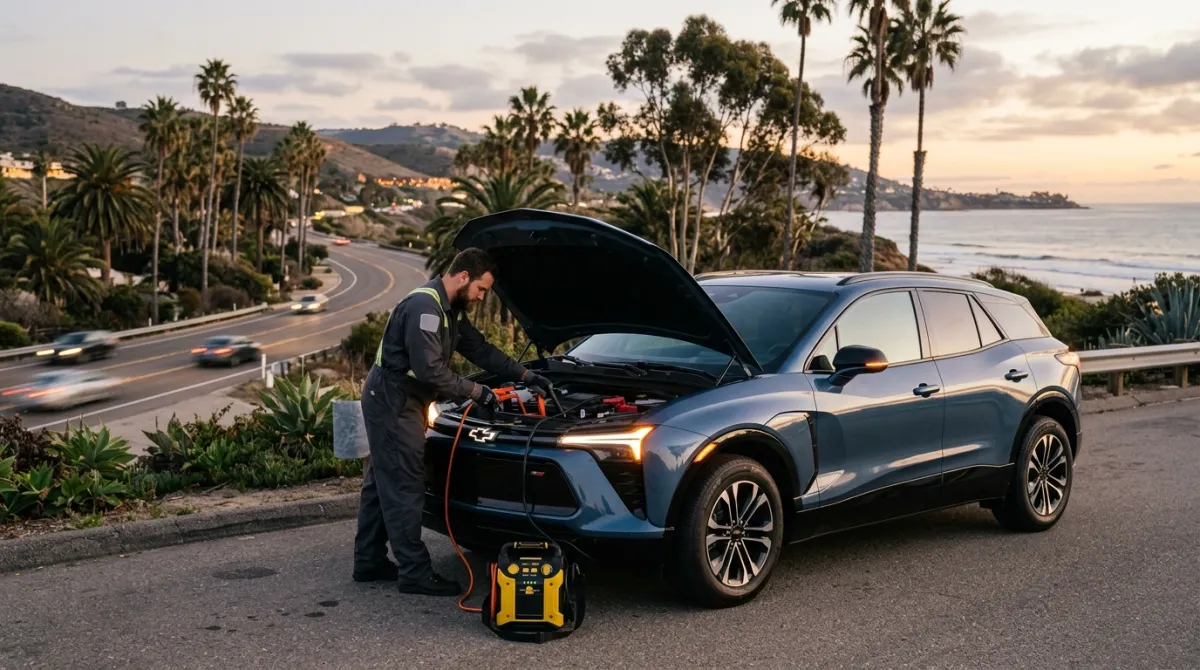
A Chevy Blazer EV that won’t start almost always comes down to one of three causes: a dead 12V auxiliary battery, a GM Ultium BMS software fault blocking high-voltage initialization, or a charge-port latch error that keeps the car from entering “Ready” mode. The large center touchscreen going completely dark is the clearest sign the 12V system has lost power. The Blazer EV shares its Ultium platform with the Cadillac Lyriq and Chevy Equinox EV, so the failure modes, and the fixes, are nearly identical across the family.
The 12V battery: where it lives in the Blazer EV
Like every production EV, the Blazer EV runs two separate electrical systems. The Ultium traction pack drives the motors; a conventional 12V auxiliary battery powers everything else. Door locks, infotainment, body control modules, and the computers that authorize the high-voltage system to come online all pull from the 12V. When the 12V dies, the car won’t boot, no matter how much charge is in the main pack.
On the Blazer EV, the 12V battery sits in the front trunk area under a plastic panel. There is no conventional engine bay, so owners familiar with ICE vehicles often don’t know where to look. If the 12V still holds a residual charge, the frunk opens from the interior release or the key fob. If the 12V is completely dead, the latch is electrically controlled, so you’ll need to use the manual emergency release described in the owner’s manual.
The jump-start terminals are on a dedicated buss bar in the front compartment, separate from the battery terminals themselves. The positive post has a red cap; the negative ground point is a chassis bolt nearby. Connect your jump pack to the buss bar terminals, not directly to the battery posts, and let the 12V system recover for 60 to 90 seconds before pressing the start button. This is the same layout used on the Cadillac Lyriq, covered in our Lyriq no-start guide.
Why your Chevy Blazer EV won’t start: GM Ultium BMS and software faults
The Blazer EV had a well-documented rough launch. In late 2023 and into 2024, GM issued a stop-sale on new Blazer EV inventory due to software issues that could cause no-start events, unexpected power losses, and charge session failures. Owners with early-build units reported cars that refused to initialize even with a healthy traction pack. GM pushed over-the-air software updates and later required dealer software flashing for affected builds.
A BMS-related no-start looks different from a simple dead 12V:
- The large center display powers on briefly, then cuts out, or shows a boot animation that never completes.
- The car briefly enters “Ready” mode and then drops out before you can move.
- Dashboard shows a “Service High Voltage Charging System” or “Service EV System” message.
- The charge level reads normally in the myChevrolet app, but the car still refuses to drive.
The standard field reset for a BMS software hang is a full 12V power cycle. Open the front compartment, locate the auxiliary battery, and disconnect the negative terminal for two full minutes. Reconnect, wait for the modules to sequence back up (you’ll hear relays clicking), then attempt a normal start. This clears volatile memory in the body control modules and lets the BMS reinitialize from scratch. It resolves the majority of software-hang no-starts without any tools.
If the car still won’t start after the power cycle, or if high-voltage warnings persist, that’s a dealer diagnostic job. Don’t try to force a charge session on a Blazer EV that’s showing active Ultium faults.
Screen state and what it likely means
The Blazer EV’s large center touchscreen going dark is one of the most alarming no-start symptoms, and it’s also one of the most diagnostic. Here’s how to read it:
| Screen state | What it likely means |
|---|---|
| Completely dark, no dome light, fob won’t unlock | 12V battery fully dead |
| Dark screen but doors unlock normally | 12V low but not dead; try jump pack |
| Screen flashes on then off repeatedly | BMS module boot loop; try 12V power cycle |
| Screen loads normally, “Service” warning, won’t enter Ready | Ultium fault; power cycle, then dealer |
| Screen shows charge port locked icon | Latch fault; see charge port troubleshooting |
The first scenario, total darkness with no response to the fob, is the most common situation Charge Pro encounters on Blazer EVs across San Diego. It’s a 12V problem, and a portable jump pack plus a few minutes of patience puts the car back online.
What to do if you’re stranded in San Diego
The Blazer EV has a strong sales footprint across San Diego County, from North County suburbs like Escondido, San Marcos, and Vista, to coastal communities like Encinitas and Carlsbad, to central neighborhoods like Mission Valley and Kearny Mesa. Stranded calls tend to cluster around a few patterns:
Interstate corridors (I-15, SR-78, I-5). North County Blazer EV drivers on long daily commutes will sometimes park overnight with a marginal 12V, come back to a car that won’t start, and face a frunk latch that won’t open. Knowing where the manual release is before you need it is worth a few minutes with the owner’s manual.
Coastal parking lots and beach areas. Overnight parking near Encinitas, Carlsbad State Beach, or Del Mar on warm evenings shouldn’t drain a 12V in normal circumstances. But early-build Blazer EVs may carry software that creates parasitic drain through always-on connectivity modules. If your car predates the 2024 software remediation, confirm with your dealer whether the relevant fix has been applied.
Downtown and Midtown parking structures. San Diego’s multilevel garages downtown and in Hillcrest or North Park don’t always have Level 2 chargers. A Blazer EV that arrives with a low state of charge and sits through a long event can trigger a BMS protection mode that locks the car out of driving. Without knowing the reset sequence, it reads exactly like a no-start.
For any of these situations, our non-Tesla EV rescue service covers GM vehicles including the Blazer EV, Equinox EV, and Lyriq. Charge Pro SD reaches most coastal and central SD locations in 25 to 40 minutes. If the car is out of charge rather than stuck in a software fault, the rescue rig can deliver roughly 30 to 60 miles of range on-site via a 240V / CCS setup, so you skip the tow entirely. Learn more about out-of-charge recovery.
Frequently asked questions
How do you jump start a Chevy Blazer EV?
Open the front compartment using the interior release or key fob. Under the plastic panel on the driver’s side, find the jump terminals: a red-capped positive post and a chassis ground bolt nearby. Connect the jump pack positive to the red post and negative to the ground bolt, then wait 60 to 90 seconds before pressing the start button. Use the buss bar terminals, not the battery posts directly, and make sure the jump pack is rated for at least 400 cold cranking amps to power the 12V system adequately.
What does a dark screen on a Chevy Blazer EV mean?
A completely dark screen with no dome light and no fob response means the 12V auxiliary battery is dead. The center display, like every accessory circuit in the car, runs off the 12V system, not the traction pack. No 12V power means no screen, no locks, and no way for the high-voltage system to initialize. A jump pack on the front-compartment buss bar terminals is the fix for most dark-screen no-starts.
Can a Blazer EV have a no-start even with a full charge in the battery?
Yes. A BMS or body control module software fault can prevent the car from entering “Ready” mode even when the Ultium pack shows full charge in the myChevrolet app. This was a documented issue on early Blazer EV builds. The fix is usually a full 12V power cycle: disconnect the negative terminal for two minutes, reconnect, and retry. If the fault persists, take it to a Chevrolet dealer for a diagnostic scan, and confirm whether the 2024 software remediation update has been applied to your specific VIN.
What does “Service EV System” mean on a Chevy Blazer EV?
It means the car’s control modules have detected a fault in the high-voltage system that prevents normal operation. Common triggers on the Blazer EV include an interrupted over-the-air software update, a failed charge session, or a BMS fault following a deep parasitic drain. Try the 12V power cycle first. If the warning returns after the car starts, get to a Chevrolet dealer for a proper diagnostic scan before driving long distances.
Does Charge Pro come to North County or coastal SD for a Blazer EV?
Yes. Charge Pro SD covers all of San Diego County, including Escondido, San Marcos, Vista, Carlsbad, Encinitas, and every coastal and central SD neighborhood. Typical dispatch time to most North County and coastal locations is 25 to 40 minutes. Call (858) 400-4465 for same-day EV roadside assistance. For sibling GM Ultium issues, see our guides on the Chevy Equinox EV and Chevy Bolt.
How much does mobile EV rescue cost for a Blazer EV in San Diego?
A 12V jump start and system reset typically costs less than a standard tow. A mobile charge delivery that puts 30 to 60 miles back in the car on-site is often comparable to or less than a tow-plus-charge combination. For a same-day quote, call Charge Pro SD at (858) 400-4465. See our full mobile EV charging cost guide for a detailed breakdown, and our EV 12V battery replacement guide if the auxiliary battery needs to be swapped rather than jumped.
If your Chevy Blazer EV won’t start and you’re anywhere in San Diego County, call Charge Pro SD at (858) 400-4465. We carry the jump gear and charge capability to handle most GM Ultium no-start scenarios on-site, and we cover the full county from San Diego to North County to the east.